The reality
Highly regulated industries deal with large, complex document packages. Tax returns scanned at odd angles. Bank statements in dozens of formats.
What is an AI Document Intelligence Platform?
An AI document intelligence platform turns unstructured documents into data that downstream decisions can rely on. MightyBot's Data Engine classifies pages, extracts values at character-level precision, canonicalizes them into policy-ready structures, and attaches an evidence pointer linking every value back to its exact source location.
The hardest workflows start with documents. Document processing and financial spreading workflows can begin with 200-page PDFs. Tax returns scanned at odd angles. Bank statements in dozens of formats.
Highly regulated industries deal with large, complex document packages. Tax returns scanned at odd angles. Bank statements in dozens of formats.
Other AI platforms demo on structured inputs. The moment production documents arrive (150 DPI scans, phone photos, inconsistent layouts) they fail.
MightyBot's AI Document Intelligence Pipeline classifies, extracts, canonicalizes, and indexes documents, with 99%+ accuracy in the flagship production lending deployment.
Four stages. Each purpose-built for production document messiness.
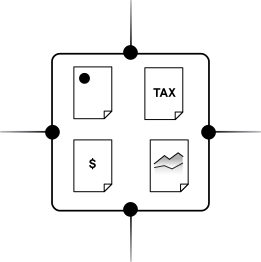
Every page classified independently. A 200-page loan package segmented into tax returns, bank statements, pay stubs, appraisal reports.
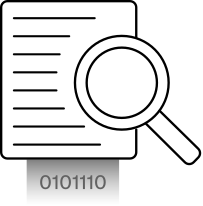
Each page processed by models tuned for its document type. Character-level boundary detection for dollar amounts, dates, percentages, names, and addresses.
Extracted values mapped to a canonical Financial Reporting Structure so downstream policy evaluation works consistently regardless of source format.
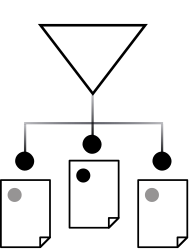
Documents, pages, sections, and entities are indexed for retrieval across the L0, L1, and L2 levels.
Every extracted value maintains a traceable link to its source: the specific page, the specific location, the specific document.
Three-tier indexing. Each level serves a different purpose.
MightyBot's Data Engine turns messy documents into policy-ready data with classification, extraction, canonicalization, Megastore search, and source evidence pointers.
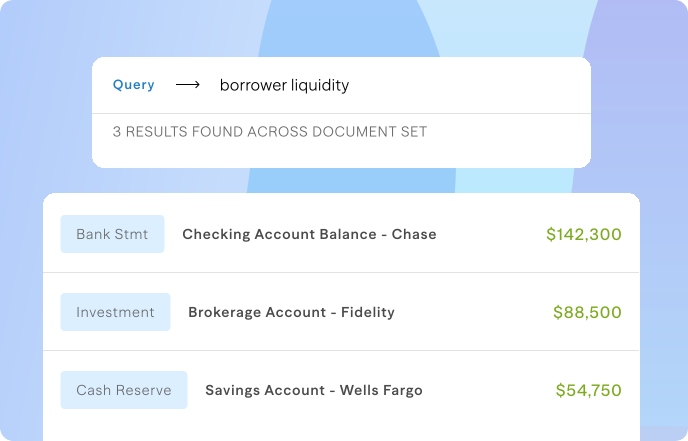
Semantic search across all processed documents. A query for "borrower liquidity" returns bank balances, investment statements, and cash reserves. Search understands financial terminology.
Example: a spread shows Net Operating Income of $1,284,000 for FY2025. The evidence pointer stores the source document, page, and the coordinates of the line it came from, so a reviewer clicks the number and sees the exact statement line that produced it. Disagreements get resolved at the source in seconds, and the trail survives into the audit record.
Regulated work does not stop at PDFs. The same pipeline applies: ingest, detect, extract, verify.
Explore the stack
Which use case fits you
These are the workflows MightyBot runs in production today, each with a buyer's guide, regulator references and the evidence trail examiners ask for.
FAQ
Software that reads business documents (statements, applications, contracts, forms) and produces structured, verified data: classification, extraction, normalization, and evidence linking, so downstream systems and policies can act on the result without re-keying or blind trust.
A stored reference from every extracted value back to its exact source location: document, page, and position. It is what lets a reviewer or examiner verify a number in one click instead of hunting through a 300-page file.
PDFs (native and scanned), images (JPEG, PNG, TIFF), phone photos, Office documents, spreadsheets, and multi-page forms, regardless of scan quality, rotation, or formatting. Messy inputs are the default.
99%+ in the flagship production lending deployment. Document-type-specific models and character-level boundary detection maintain precision even on low-quality scans. A production number, not a benchmark.
Canonicalization maps extracted values from different formats to a standardized schema. "Net Operating Income" and "NOI" resolve to the same canonical field, so policy evaluation stays consistent regardless of source format.
Every extracted value links to its exact source: page number, coordinates, and document in the original upload. Auditors can click through from any decision to the source data.
Per-workflow repositories scope access at the architectural level. Each loan file has its own repository. Not a permission setting. An architectural guarantee.
Yes. Images and video are first-class inputs processed with the same pattern as documents: ingest, detect, extract, verify. The platform checks that a photo shows what the accompanying report claims and links visual evidence into the same decision trail.
It is optimized for English-language financial documents today. Additional language support is available for specific document types and deployment needs.
Last updated: October 4, 2026