
Use Cases

Merchant Statement Analysis Automation

MightyBot automates merchant statement analysis: every fee, every rate, every processor format. Analysis that took hours now takes minutes, and deals close faster.

What is merchant statement analysis?

Merchant statement analysis is the line-by-line review of a payment processor's monthly statement to identify every fee, effective rate, and interchange markup a merchant is paying. MightyBot runs the analysis end to end across processor formats, producing a savings comparison with an evidence pointer on every number.

Automate Merchant Statement Analysis

Processor consolidation, new fee categories, regulatory scrutiny of interchange: the landscape shifts constantly. A single statement contains hundreds of line items across interchange fees, assessments, markups, PCI fees, batch fees, charges varying by card type and volume tier. MightyBot adapts without manual reconfiguration. Parses every format, extracts every fee, benchmarks rates, quantifies savings in minutes.

Why processor statements hide the real cost

Statement analysis is the critical first step in every ISO sales engagement. A rep must identify effective rates, isolate markups from pass-through costs, find hidden fees, and calculate savings. This takes 30-60 minutes per statement. The bottleneck kills sales velocity — every queued statement is a merchant waiting. Rush it and miss fees. Take your time and lose the deal. Hiring alone cannot break the ceiling.

Format chaos

First Data, WorldPay, TSYS, Heartland, Stripe: all different, and they change without warning.

Industry consolidation

Acquirer mergers and platform changes mean statement formats evolve constantly. What worked last quarter may not parse today.

Fee complexity

Hundreds of line items across interchange, assessments, markups, and ancillary charges.

Context dependence

A "processing fee" means something different in every format.

Accuracy stakes

Over-promised savings erode trust and kill deals.

Volume ceiling

Reps limited to 5-10 manual analyses per day.

How MightyBot analyzes merchant statements

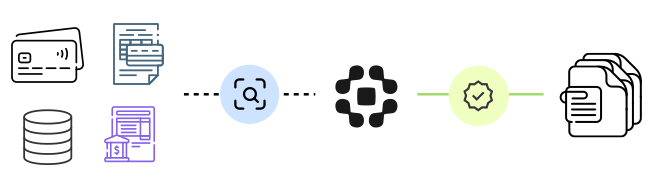
  1. Classify processor format

    First Data, WorldPay, TSYS, Heartland, Square, Stripe, hundreds more. FRS canonicalization maps fee labels to canonical categories. New format? Configuration, not code.

  2. Extract fee lines

    Every category, rate, and transaction count. Interchange by card type. Assessments. Markups. Monthly, PCI, batch, chargeback fees.

  3. Normalize to fee taxonomy

    Markups isolated from pass-through costs. Hidden fees identified. Regulatory compliance verification: disclosed rates matched against actual charges per Durbin and card network rules.

  4. Compute effective rate

    Effective rate, markup percentage, savings under proposed structures. Evidence pointers to the source statement.

  5. Generate savings comparison

    Evidence-backed savings that hold up when merchants ask "show me."

  • Interchange
  • Assessments
  • Processor markup
  • PCI and statement fees

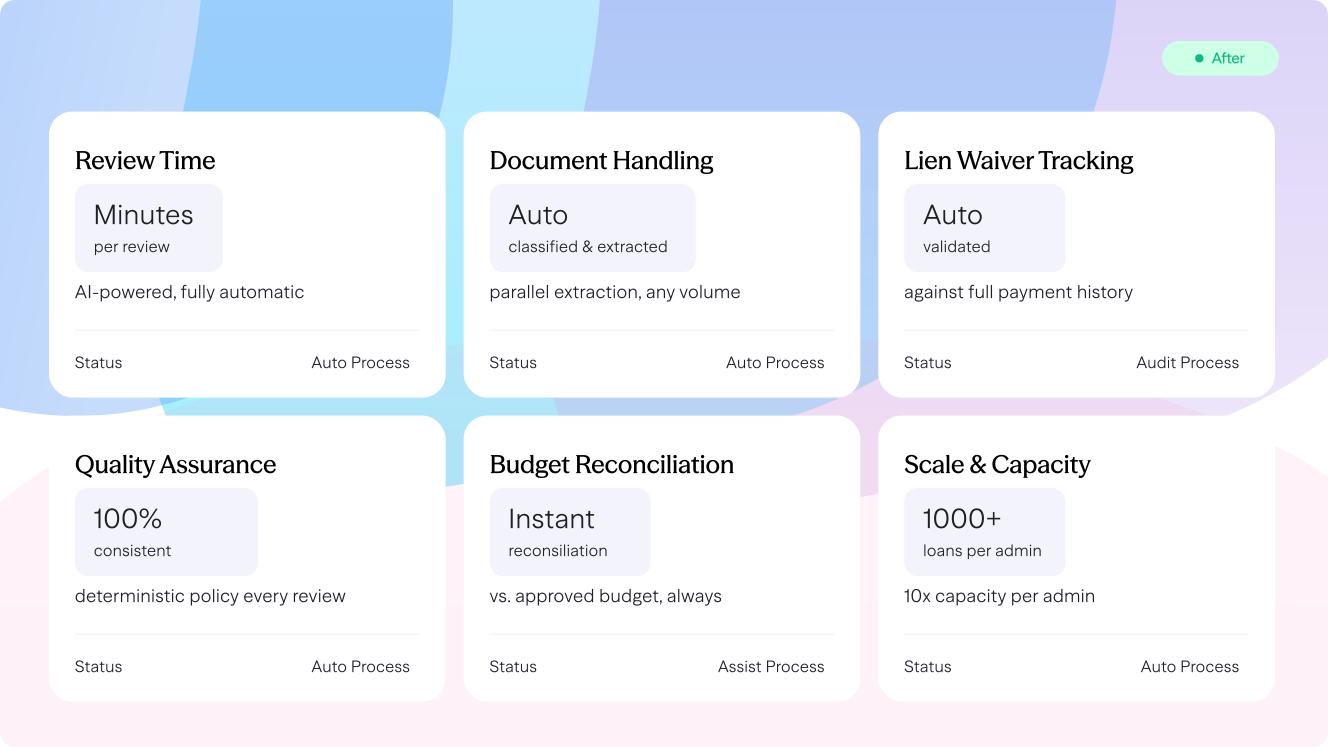
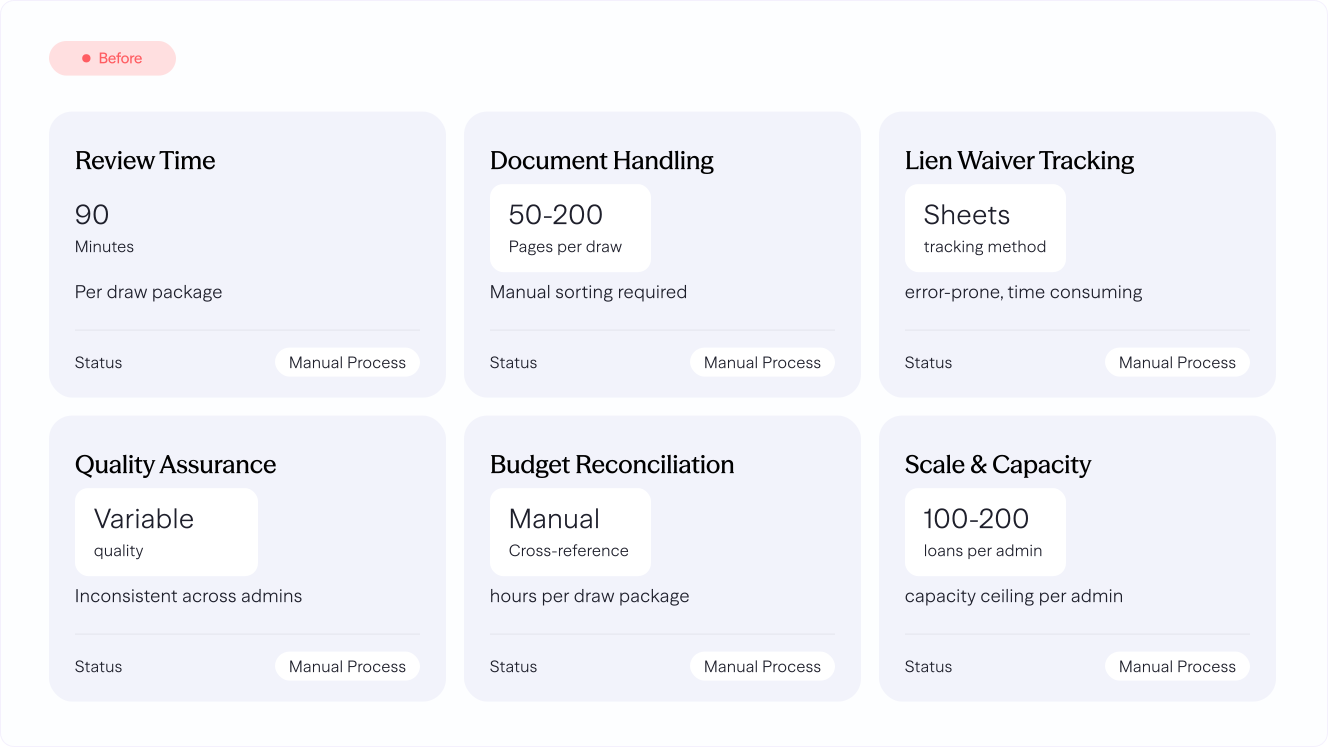
Before vs After

After Before

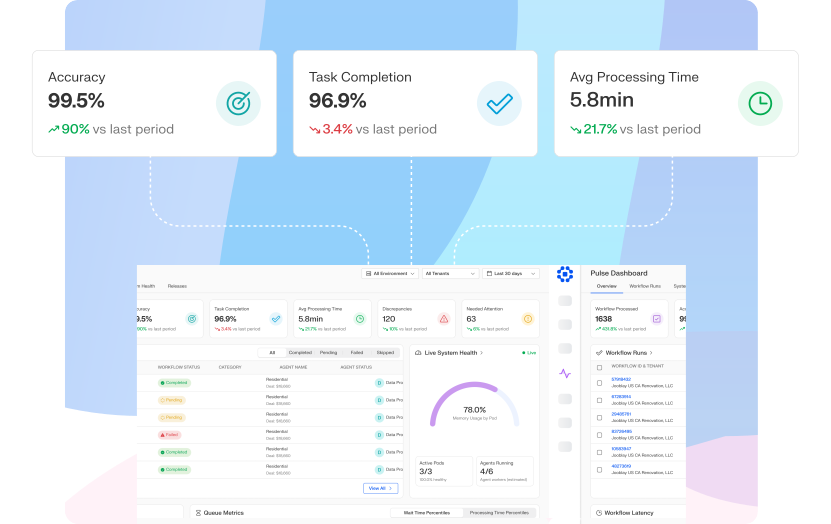
Production Metrics

Proven in production with RocketFee, a payments technology company embedding MightyBot's Data Engine for automated statement analysis. Measured in the RocketFee production deployment. See the PayGuard agent for the adjacent payments workflow.

70%+ Less processing time in MightyBot production deployments
80% Fewer manual interactions in MightyBot production deployments
Evidence-linked Every fee tied to the statement line it came from
Same-day Proposals with backlog eliminated

Buyer's guide

How to read a merchant statement and find what the processor is really charging

Why is the effective rate so hard to see on a merchant statement?

Every card payment carries three layers of cost. Interchange goes to the card issuer and is set and published by the network. Visa's published table is explicit that "Merchants do not pay interchange reimbursement fees" directly; they pay a merchant discount to their own financial institution, and interchange is inside it. Network fees go to Visa or Mastercard; federal law defines a network fee as one "other than an interchange transaction fee." The rest is the processor's markup.

The FTC describes the merchant discount as the amount deducted from the transaction that "includes the interchange fee and other fees for processing the transaction." Statements rarely separate the layers. Tiered pricing folds them into qualified and non-qualified buckets, flat rates hide the mix entirely, and interchange-plus statements still bury assessments, PCI, batch, statement and regulatory line items among dozens of codes that change name from processor to processor.

So the effective rate, total fees divided by total volume, is the number most businesses cannot produce from their own statement, and the number every renegotiation depends on.

How do AI agents break a statement into interchange, network fees and markup?

Agents on the MightyBot platform read the statement in whatever layout the processor uses, extract every fee line with its description, rate, count and amount, and keep a pointer to the page and position each came from. Each line is classified as interchange, network fee, processor fee or pass-through, using your firm's rules for the codes and names each processor uses.

Interchange lines are checked against the published tables and against the regulated-debit cap, so a card type billed above its published rate or a regulated debit transaction billed above the cap shows up as an exception. The agent computes the effective rate, the markup over interchange in basis points and per item, and the month-over-month change, and flags fees that are new, renamed or increased.

The output is a fee breakdown with the evidence behind every number. For an ISO or payments consultant that is the analysis behind a proposal; for a finance team it is the basis for a conversation with the processor.

What do the rules say a merchant can check?

The Federal Reserve's Regulation II caps the interchange a covered issuer may receive on a debit transaction at "no more than the sum of" "21 cents and" "5 basis points multiplied by the value of the transaction," and gives the worked example that for a $39 transaction "the maximum permissible interchange transaction fee is 22.95 cents." Visa's own table lists the regulated debit rate as 0.05% plus $0.21. A statement that shows more on regulated debit is worth a question.

The FTC's guidance for retailers tells merchants to "Go over your invoice together to see how these and other fees are reflected in your monthly statement, and discuss what you can do to reduce them." In a 2013 enforcement action the FTC described sales agents who "quote one fee, a fixed per-transaction cost, without mentioning all the other fees the businesses will have to pay."

If a business surcharges to recover cost, Visa's rules state that in the US "The Credit Card Surcharge maximum amount is 3.00%" and that the surcharge may not exceed the merchant's cost of acceptance. Knowing that cost precisely is a compliance question as well as a savings question.

What to look for in merchant statement analysis software

Use these questions when you compare tools, whether you analyze statements for clients or for your own business.

  • Does it read any processor's statement?Formats differ by processor and change over time. The tool should extract every line from a PDF or scan without a template per processor.
  • Does it separate the three layers?Interchange, network fees and processor markup should each be totaled, with the markup shown in basis points and per item.
  • Does it check interchange against published rates?Each interchange line should be compared with the network table for that card type, and regulated debit checked against the Regulation II cap.
  • Does it show the effective rate and the trend?Total fees over total volume, by month and by card type, with new, renamed or increased fees called out.
  • Can you trace every number to the statement?A processor will dispute a finding. Each figure should open the page and line it came from.
  • Does it support the next step?For ISOs and consultants, a proposal or savings estimate from the same data. For a finance team, an export for the negotiation.

Manual review, fee benchmarking tools and a policy-driven platform compared

CriterionManual statement reviewFee benchmarking toolPolicy-driven AI agent platform
Reading the statementSomeone rekeys totals into a spreadsheet.Upload; extraction quality varies by processor.Agents extract every line from any format, with a pointer to its source.
Fee classificationBy eye, using the processor's labels.Fixed mapping of known fee names.Rules for each processor's codes, versioned and editable by your team.
Interchange checksRarely done.Sometimes, against a stored table.Each line checked against published tables and the regulated-debit cap.
EvidenceThe spreadsheet.A summary report.Every figure linked to the statement page and line.
Fits best whenOne business, one processor, occasional review.Quick benchmarking of a few statements.Many statements, many processors, and findings that have to survive a dispute.

Analysis that took hours. Now takes minutes. Proven with RocketFee.

Use-case map

How Merchant Statement Analysis Automation works in MightyBot

MightyBot automates merchant statement analysis by parsing processor formats, extracting fees and rates, benchmarking markups, quantifying savings, and producing source-backed analysis.

Inputs Merchant statements, processor fee tables, card mix, transaction volumes, proposed pricing, interchange categories, and rate disclosures.
Execution Parses statement formats, extracts every fee and rate, separates pass-through costs from markups, benchmarks pricing, and calculates savings.
Outputs Savings analyses, effective rate summaries, fee breakdowns, sales-ready proposals, and evidence-backed pricing comparisons.
Audit trail Every fee, rate, transaction count, and savings claim links back to the source statement and calculation logic.
Best for Payments teams where manual statement analysis slows sales velocity and weak evidence undermines merchant trust.

Sources

Sources and verification

Regulatory references were read in the original documents and last verified September 17, 2026. Production figures come from the named MightyBot deployment.

FAQ

Frequently Asked Questions

How many processor formats does MightyBot support?

All major processors — First Data, WorldPay, TSYS, Heartland, Global Payments, Square, Stripe, and hundreds more. The pipeline adapts to new formats through classification and canonicalization. No rigid templates.

Can MightyBot calculate savings under a proposed rate structure?

Fees extracted and categorized. Savings modeled under interchange-plus, tiered, or flat-rate structures. Pass-through costs isolated from markups. Projections reflect actual margin reduction.

How accurate is the fee extraction?

Every extracted fee includes an evidence pointer to the statement line it came from, so each value can be checked against the source.

What is merchant statement analysis?

Merchant statement analysis is the review of a merchant's monthly processing statement to break out interchange, assessments, and processor markup, and to compute the effective rate actually paid. It is how payments providers quantify the savings they can offer a prospect.

How does AI automate payment processing statement analysis?

AI agents classify the statement's processor format, extract every fee line and volume figure, normalize them into a standard fee taxonomy, and compute effective rates and savings scenarios. Statements that took an analyst hours are processed in minutes, with each figure traceable to the exact line on the source PDF.

How does MightyBot handle different pricing models?

Interchange-plus, tiered, flat-rate, hybrid — all recognized and correctly parsed. Interchange isolated from markup. The canonical schema normalizes all structures for consistent comparison.